

On this page (9 sections)
Does Stake have a dedicated app?
Most crypto casinos, Stake included, sit outside the gambling-app policies of the major app stores in many regions, which typically pushes them toward a browser-based mobile experience rather than a store-listed native app.
Whether Stake currently maintains an official native app in any app store, and under what listing, is best checked on the operator's own site rather than quoted here, since store availability shifts over time. What is stable across the category is the mobile web alternative, covered below, and it is what most readers searching "Stake app" actually end up using.
What the mobile web experience actually offers
A well-built mobile site does almost everything a native app would: full account login, the cashier for deposits and withdrawals, the complete Originals and slots catalogue, and the sportsbook, all inside a mobile browser rather than a downloaded package.
The practical difference between a native app and a mobile browser session is mostly cosmetic: an app icon versus a bookmark, background notifications versus none. The account, the wallet balance and the game outcomes are identical either way, because they live on the operator's servers, not on your device.
Installing it on your home screen, safely
Four steps to a home-screen shortcut, no app store involved
- Open the operator's known address directly in your mobile browser. Open Stake
Where people trip up: Type the address yourself rather than following a link from an ad, a message or an unfamiliar search result.
- Log in or register, entering
GETRAKEBACKat registration if you want rakeback active.Where people trip up: The code behaves identically on mobile and desktop — no separate mobile-only code exists.
- Open your browser's menu and look for 'Add to Home Screen' or 'Install App'.
Where people trip up: The exact wording differs between iOS Safari and Android Chrome, but the option exists in both.
- Confirm the new home-screen icon opens directly to the operator's real domain.
Where people trip up: If it opens anywhere else, remove the shortcut and repeat the process from a freshly typed address.
The fake-app risk in store listings
This is the actual danger, not the lack of an official app
Impersonation apps copying well-known casino brand names and logos appear in app stores regularly. Never install anything claiming to be Stake unless you can verify the publisher matches the operator exactly — when unsure, use the mobile browser instead of searching a store.
A fake app is worse than no app: it can request excessive permissions, harvest login details, or simply serve ads while pretending to load a casino. The mobile browser route removes this risk entirely, since there is nothing to install and verify in the first place.
Key terms if you register on mobile
| Term | What applies |
|---|---|
| Bonus code | GETRAKEBACK |
| What the code unlocks | Unlock Rakeback |
| Offer type | Rakeback unlock |
| Minimum qualifying deposit | Set in the cashier — shown at deposit |
| Wagering requirement | Set out in the operator’s bonus terms |
| Maximum bet while bonus is active | Defined in the bonus terms — check before staking up |
| Bonus validity window | Stated on the promotion page at activation |
| Game weighting | Published in the operator’s weighting table |
| Maximum cashout from bonus funds | Capped per the bonus terms where a cap applies |
| Sticky or non-sticky | Declared in the bonus terms per offer |
The fine print on mobile and crypto specifically
The small print on Stake — read this part twice
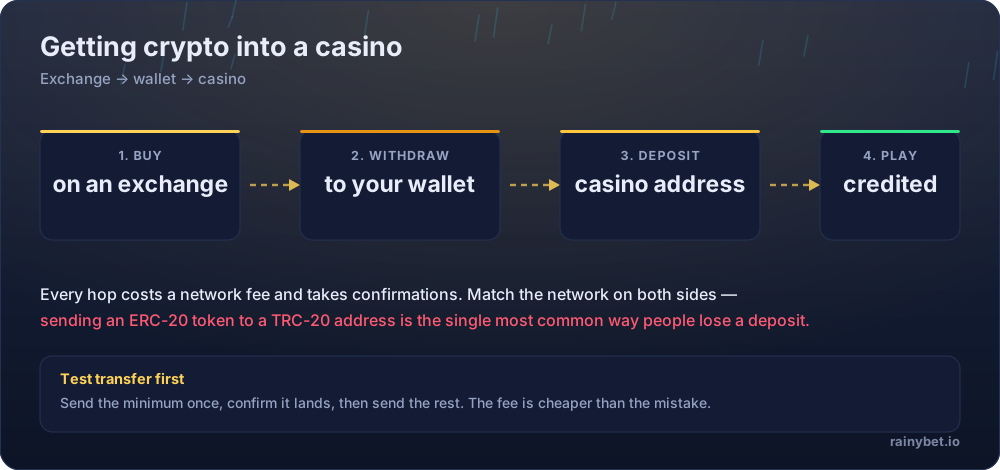
- Network confirmation times depend on the blockchain, not the device. A mobile deposit does not clear faster or slower than the same transaction sent from a desktop wallet.
- Home-screen shortcuts are bookmarks, not verified installs. They carry no additional security guarantee beyond the domain you added — if that domain was wrong, the shortcut is wrong too.
- Official native app availability changes over time. Verify current status directly on the operator's own site rather than relying on search results.
- KYC and withdrawal review still apply on mobile exactly as on desktop, with checks applied at the operator's discretion rather than published as fixed triggers.
- Mobile push notifications, if offered, are opt-in and their exact behaviour is a browser or device setting, not something the operator controls fully.
Terms are the operator’s to change. If a clause below no longer matches what you see in your account, the account version wins — and we want to hear about it.
Honest pros and cons of mobile play
What works about Stake
- Mobile web access covers the full account, cashier and game catalogue without a download
- A home-screen shortcut gives app-like convenience without app-store approval risk
- Deposits and withdrawals behave identically to desktop, since the wallet lives server-side
What to weigh up first
- No fixed, quotable answer on official native app-store availability — check the operator's site for the current status
- Fake impersonation apps are a real risk in app-store search results
- Faster, more casual access on a phone makes overplaying easier without deliberate limits set
Licence, geo-restrictions and playing safely
Licensing. Access is blocked in a number of countries and US states, and the list is maintained by the operator rather than published as a stable document. The current restricted list and licence details live on the operator’s own terms page — read them before you register.
Your side of it. Crypto casinos settle fast, which is exactly what makes them easy to overplay. Before your first deposit at Stake, set a deposit cap and a session timer in the account settings — not in your head.
- Deposit limits and self-exclusion tools live in account settings, not support chat
- A losing session is not a signal to raise the stake — it is a signal to stop
- Bonus turnover targets are not a reason to keep playing past your limit
- Free, confidential help: BeGambleAware and Gambling Therapy
Frequently asked questions
Does Stake have a dedicated mobile app?
Crypto gambling apps generally sit outside major app-store gambling policies in most regions, which pushes operators toward a mobile-optimised website or a home-screen web app instead of a store listing. Check the official Stake site directly for its current native app-store status, since store listings and availability can change.
Is the Stake mobile site the same as an app?
Functionally, a well-built mobile site or progressive web app can replicate most of what a native app offers: full account access, deposits, withdrawals and gameplay, added to your phone's home screen without an app-store download.
How do I add Stake to my phone's home screen?
Open the site in your mobile browser, then use the browser's 'Add to Home Screen' or 'Install App' option in its menu. This creates an icon that opens the site full-screen, without a store download.
Are there fake Stake apps in app stores?
Impersonation apps mimicking well-known casino brands are a known problem across app stores generally. Only ever install something claiming to be Stake if you can verify the publisher matches the operator exactly — and when in doubt, use the mobile browser instead.
Does using a mobile browser instead of an app change deposits or withdrawals?
No — the underlying account, wallet and cashier are the same regardless of which interface you use to reach them. Network confirmation times depend on the blockchain, not on the device.
Do I need the GETRAKEBACK code if I register through mobile?
The code works identically regardless of device. Enter it at registration on the mobile site exactly as you would on desktop.
Is mobile play riskier for bankroll management?
The risk is behavioural rather than technical: faster, more frequent access on a phone makes it easier to overplay. Set deposit limits in account settings before your first mobile session, not after.