
On this page (10 sections)
How to log in to Gamdom safely
Five steps — the first one is the one people skip
- Confirm you are on Gamdom's official domain before doing anything else — never a link from a message, comment or ad.
Where people trip up: This step matters more for a well-known, long-running brand than a newer one. Recognisable names attract more clone sites, not fewer.
- Go to the sign-in page, not the registration page — they look similar but are different screens.
Where people trip up: If you can't find a code field, you're probably on the login page. Codes live on registration only.
- Enter the email or username and password used to register.
Where people trip up: Password managers autofilling the wrong saved entry is a common source of failed first attempts.
- Complete two-factor authentication if it's enabled — usually a six-digit code from an authenticator app.
Where people trip up: Codes typically expire in around 30 seconds. If yours consistently fails, check your device clock is synced — 2FA codes are time-based.
- Confirm the dashboard loads with your correct balance and account details.
Where people trip up: If anything looks wrong immediately after login, contact support before taking any further action on the account.
Spotting a phishing clone before you type a password
A phishing clone is a fake website built to visually match a real casino's login page, designed to capture whatever email and password a visitor types into it. A long operating history and an active community make a brand a more recognisable target for this, not less.
Why Gamdom specifically attracts clone sites
A well-known, long-running crypto casino has years of accumulated search traffic, community mentions and brand recognition — exactly the conditions that make it worth someone's time to clone. Treat any unfamiliar login link claiming to be Gamdom, especially one shared in a chat, comment or unsolicited message, as suspicious by default.
- Check the full domain in the address bar, not just the page's visual design
- Never follow a login link from an email, DM or comment — navigate manually or use a saved bookmark
- Look for inconsistencies: a slightly misspelled domain, unusual pop-ups, or a login page asking for unusual extra information
- A legitimate casino never asks for a crypto wallet's seed phrase to log in
- If a link was shared as an "exclusive" bonus offer, treat that as an added red flag, not reassurance
Bookmark the official domain once you've confirmed it, and use that bookmark for every future visit rather than searching or clicking a shared link again.
Setting up two-factor authentication properly
Two-factor authentication (2FA) requires a second proof of identity beyond your password — typically a time-based code from an authenticator app — before a login is approved. It is the single most effective account-security step available to a regular user.
Set this up immediately after registering, before your first deposit, not after. An account holding real funds is a meaningfully bigger target than an empty one, and retrofitting security after a loss has already happened is too late by definition.
Back up your recovery codes the moment you enable 2FA
Most authenticator setups generate one-time backup codes. Save them somewhere other than the device running the authenticator app itself — losing both at once is how people get permanently locked out of a real balance.
The login-vs-signup code trap
A common source of confusion: people search for where to enter a promo code after they've already logged in for the first time. The code field does not exist on the login screen, and in almost every case it cannot be retrofitted to an account that already exists.
| Screen | Does a code field exist? | What to do |
|---|---|---|
| Registration form | Yes | Enter 15BOOST before submitting |
| Login page | No | Nothing to enter here — codes are signup-only |
| Account settings, post-registration | Almost never | Contact support before depositing if you missed the code |
If you're reading this before registering, see our Gamdom promo code guide and enter the code at signup — it costs nothing and cannot be added afterward.
Locked out? Common causes and fixes
- Wrong password, repeated attempts. Use password reset rather than guessing further — repeated failures can trigger a temporary security hold.
- Lost 2FA device. Use saved backup codes first; contact support with identity verification if those are also unavailable.
- New device or location flagged. Expect an extra verification step — this is a security feature, not an error.
- Session expired mid-use. Simply log back in — this does not indicate anything wrong with the account.
- Suspected unauthorised access. Change your password immediately and contact support — do not wait to see if anything looks different first.
Password resets and account recovery
Three steps to recover access safely
- Use the 'forgot password' link on the official login page and follow the email reset link.
Where people trip up: Check spam and promotions folders if the email doesn't arrive within a few minutes.
- Choose a new password you haven't reused anywhere else.
Where people trip up: Reused passwords are the top cause of account takeover across the entire industry, not just gambling sites.
- Re-confirm two-factor authentication is still active after the reset.
Where people trip up: Some resets prompt a 2FA re-verification step — don't skip it if asked.
A short login security checklist
- Official domain bookmarked, never relying on search results or shared links
- Unique password, not reused from another site
- Two-factor authentication enabled with backup codes saved separately
- Recovery email address kept current and checked regularly
- No login attempts over public, unsecured Wi-Fi
Honest pros and cons of Gamdom's login security
What works about Gamdom
- Standard two-factor authentication is supported, which meaningfully reduces takeover risk
- Password reset flow follows the normal, unremarkable email-link pattern
- New-device verification adds a useful extra check without heavy friction
What to weigh up first
- A long-running, well-known brand name is a more attractive target for phishing clones
- No password reversal path exists the way a bank offers a card replacement — crypto balances have no chargeback safety net
- Losing both your password and your 2FA device at the same time is a genuinely hard recovery case
- The login-vs-signup code confusion causes real, avoidable lost value for new users
Licence, geo-restrictions and playing safely
Licensing. Access is blocked in a number of countries and US states, and the list is maintained by the operator rather than published as a stable document. The current restricted list and licence details live on the operator’s own terms page — read them before you register.
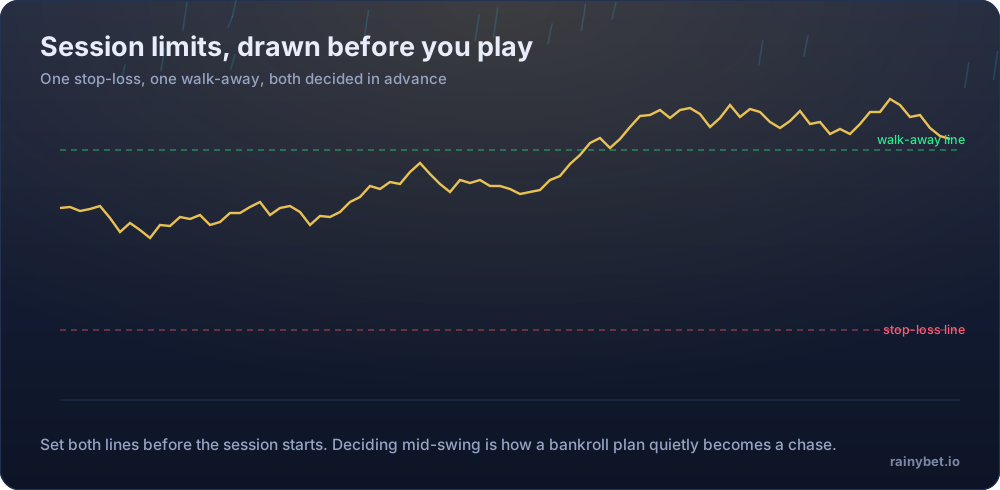
Your side of it. Crypto casinos settle fast, which is exactly what makes them easy to overplay. Before your first deposit at Gamdom, set a deposit cap and a session timer in the account settings — not in your head.
- Deposit limits and self-exclusion tools live in account settings, not support chat
- A losing session is not a signal to raise the stake — it is a signal to stop
- Bonus turnover targets are not a reason to keep playing past your limit
- Free, confidential help: BeGambleAware and Gambling Therapy
Frequently asked questions
How do I log in to Gamdom?
Enter your email or username and password on the official sign-in page, then complete two-factor authentication if it's enabled on your account. There is no code field on the login screen — referral and bonus codes only exist on the registration form.
Can I enter the Gamdom promo code on the login page?
No. The code field only appears during registration. If you're looking for it after creating an account, you're on the wrong screen — it isn't hidden in account settings, it simply isn't there once an account exists.
How do I know I'm on the real Gamdom login page and not a clone?
Check the domain carefully before entering any credentials, and never follow a login link from an unsolicited message or an ad. Bookmark the official domain once you've verified it, and use that bookmark going forward rather than searching each time.
Why does Gamdom keep logging me out?
Session timeouts, a cleared browser cache, or logging in from a new device can all trigger a fresh login requirement. This is standard security behaviour, not a fault specific to Gamdom.
I'm locked out of my Gamdom account — what do I do?
Use the password reset flow first. If two-factor authentication is also blocking access because you lost your device, contact support with account verification details rather than trying repeated login attempts, which can trigger additional security holds.
Does Gamdom support two-factor authentication?
Two-factor authentication is standard across crypto casinos in this category and is the single most effective step you can take against account takeover. Set it up from account security settings immediately after registering, before your first deposit.
Is it safe to log in to Gamdom on a public network?
Avoid it if you can. Public Wi-Fi increases the risk of session interception, and a compromised login session on a crypto casino has direct financial consequences — there is no bank chargeback to fall back on.